Rewrite it right where you typed it
Select text in Mail, Slack, or any Mac app. Pick a mode. The result drops back in place, with a diff you approve first. Your key, your model, your voice.
- Native SwiftUI, not Electron
- ~8,900 lines of Swift
- macOS 13+
- In early access
Interactive preview. The result is pre-scripted; in the app it comes from your model.
Three steps, no window switching
WriteText sits in your menu bar and watches for a selection. The rest takes two keystrokes.
Select
Select a sentence anywhere on your Mac. Mail, Notes, Slack, Notion, a browser field, an IDE.
Pick a mode
A floating pill appears next to the selection. Rewrite, Proofread, Reply, Custom, or Tone.
Review and accept
The result streams in with an inline diff. Accept it, and the text lands back in the source app. No copy-paste.
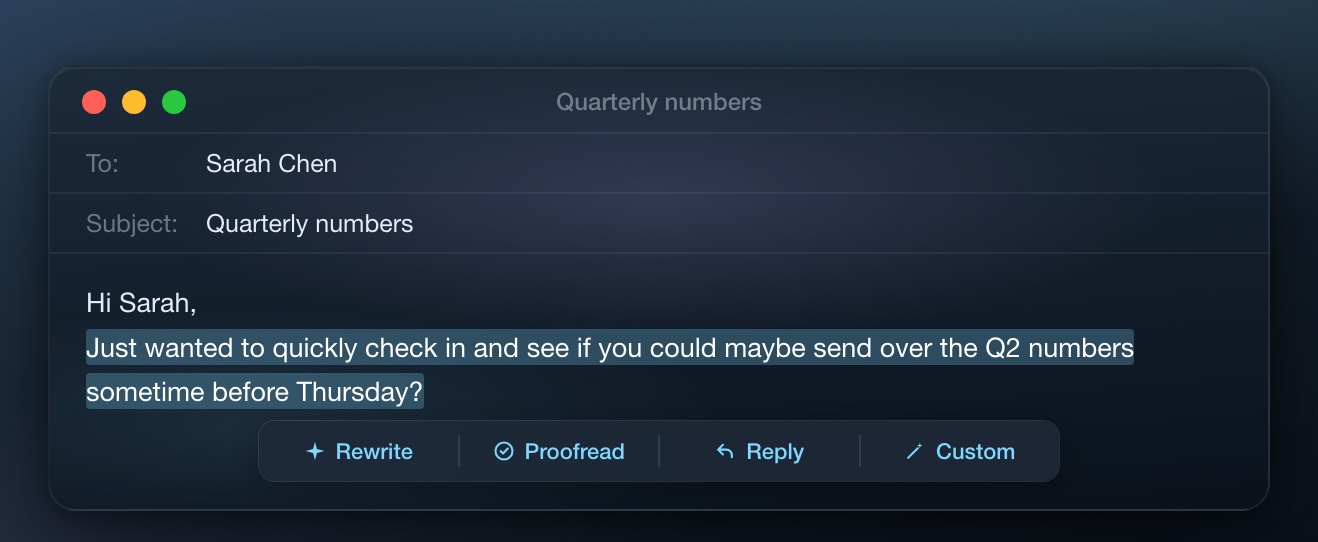
Five modes, one selection
Each mode has its own prompt discipline. Proofread will not rephrase you. Tone will not touch your draft at all.
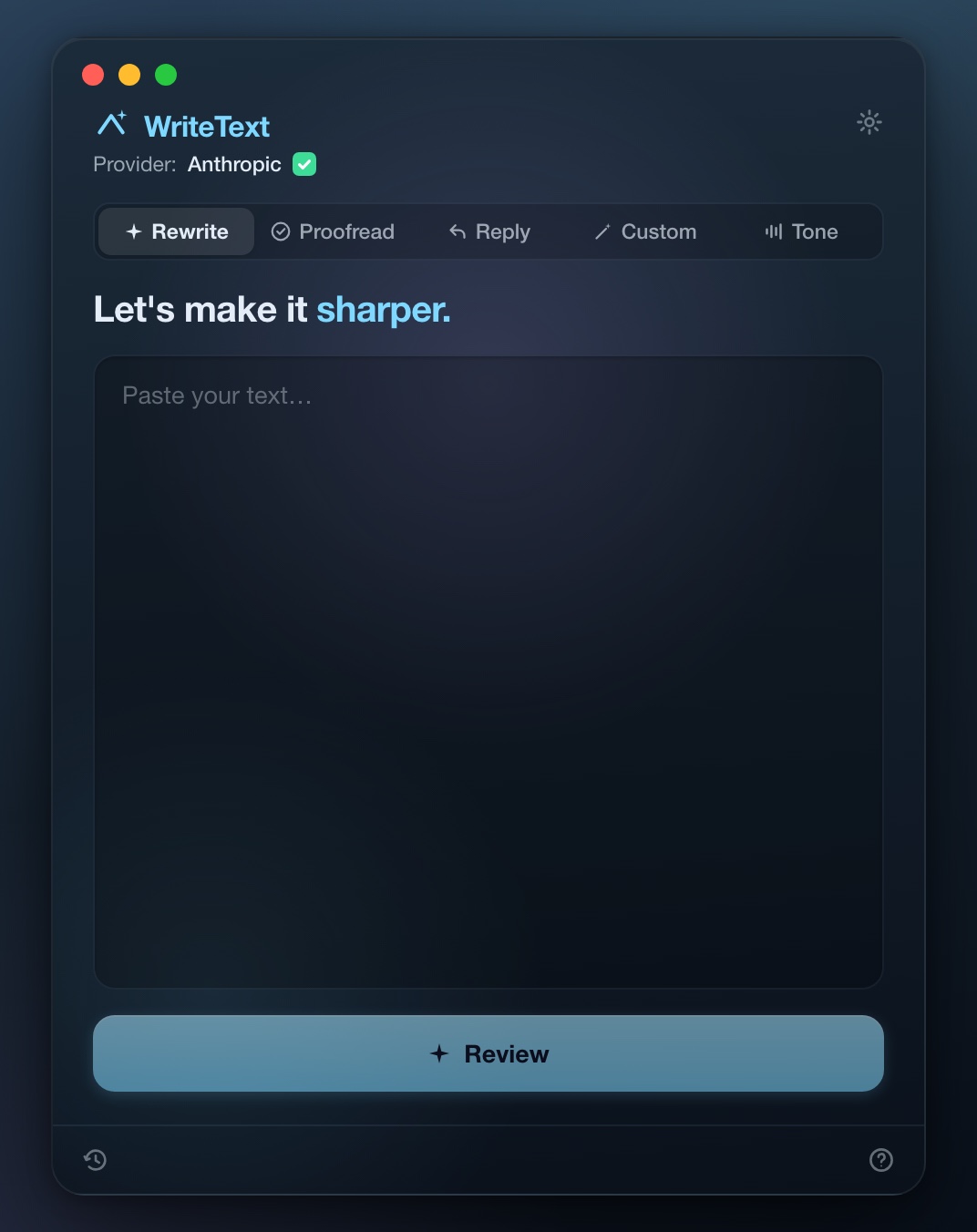
Rewrite
Sharpens and tightens. Shows why it made each change, with one-tap Adjust chips.
Proofread
Fixes grammar and typos only. No rephrasing. Your wording stays yours.
Reply
Drafts a reply from the original message plus a one-line gist of your answer.
Custom
Runs your own instruction. Save the ones you reuse as one-tap chips.
Tone
Reads the tone of a draft before you send it. Useful before the risky ones.
Nothing changes without your sign-off
WriteText shows its work. The diff, the reasoning, the levers to nudge the result.
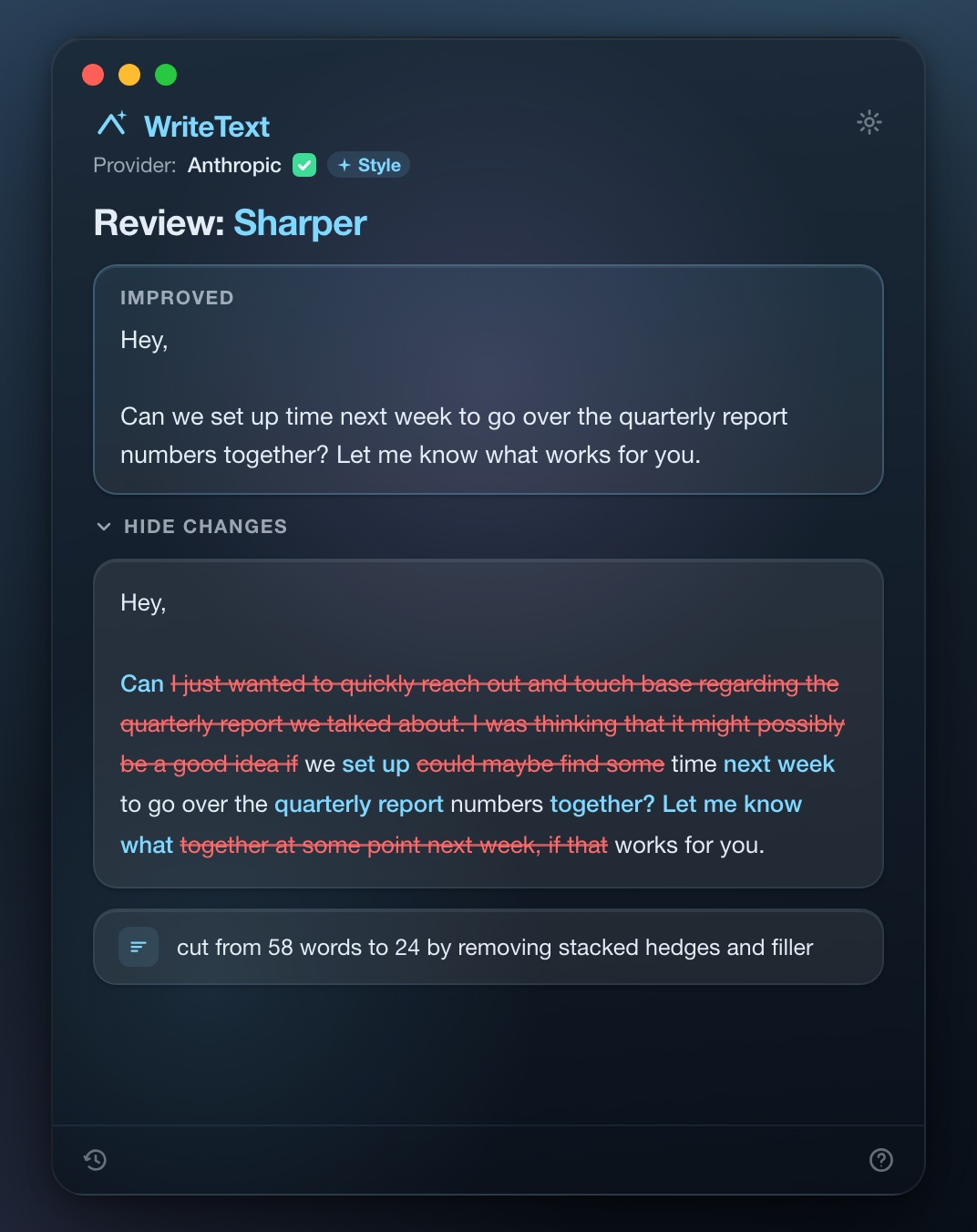
See the diff before anything changes
Every rewrite ships with an inline diff, so you know exactly what was cut and what was added. Short bullets explain the reasoning behind each change. Nothing touches your draft until you say so.
- Why-bullets call out clarity, concision, and tone separately
- Adjust chips nudge the result: Shorter, Longer, Simpler, Formal, Casual
- Results stream in as they generate
- System prompts hard-ban em dashes, filler, and giveaway AI phrasing
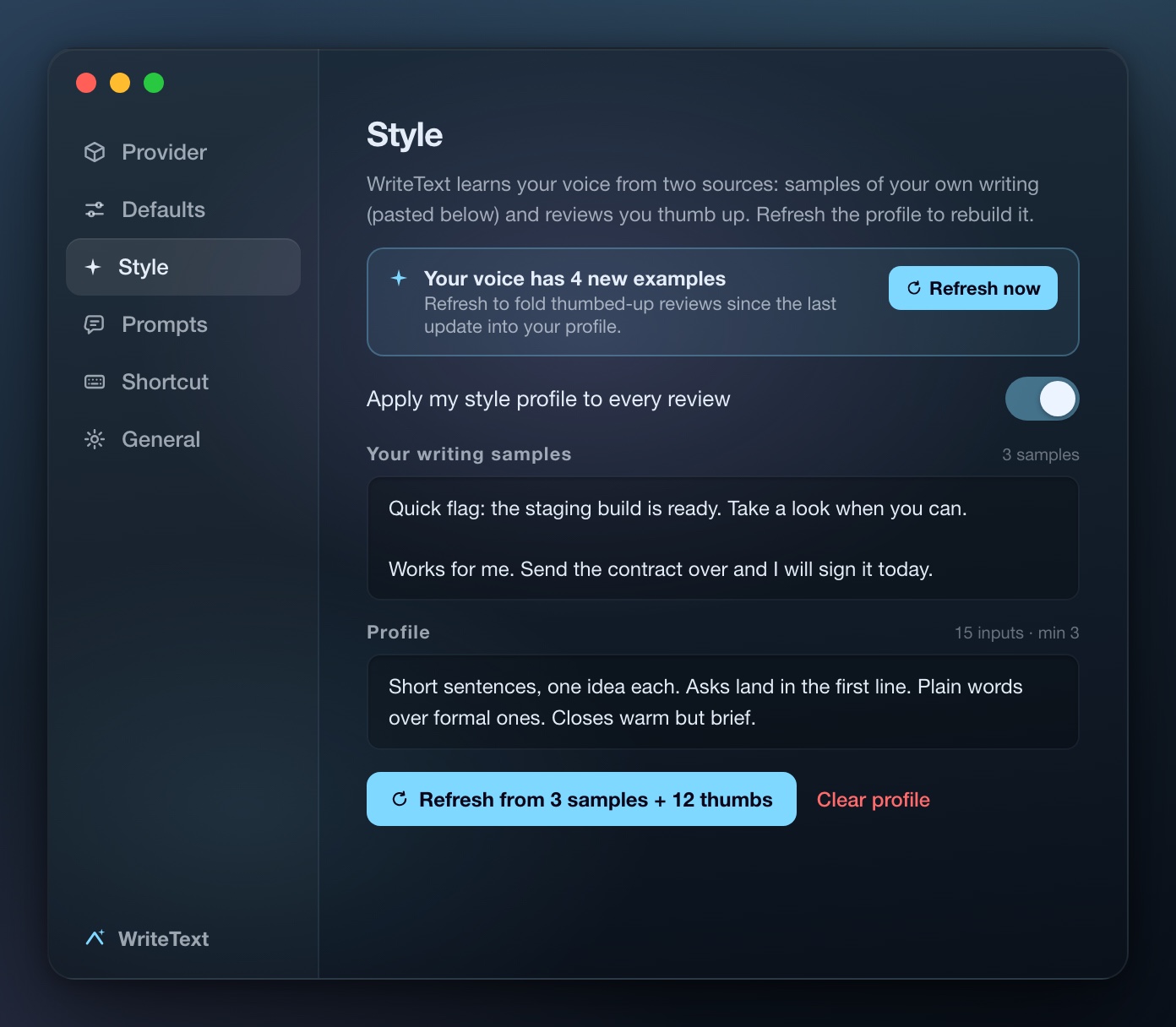
It learns how you write
Paste a few of your own messages and thumb up the rewrites you like. WriteText builds a style profile from both and applies it to every review. The output sounds like you, not like a press release.
- Seed it with your real messages
- Every thumbs-up sharpens the profile
- Applied to every mode automatically
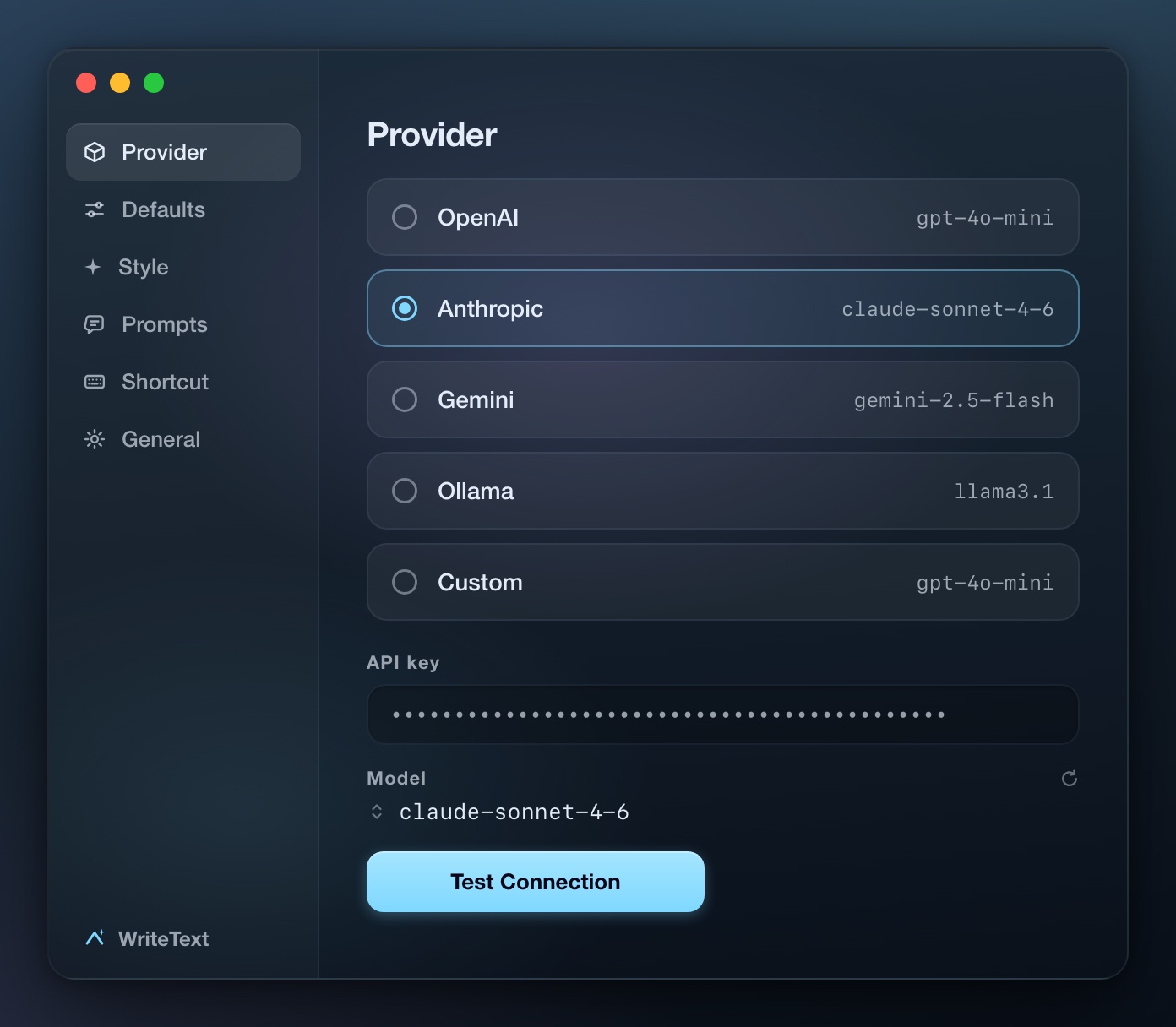
Your model, not ours
Use OpenAI, Anthropic, Gemini, a local Ollama model, or any OpenAI-compatible endpoint. Keys are stored in the macOS Keychain, and there is a built-in Test Connection. Choosing Ollama keeps everything on your machine, no key at all.
- Switch providers and models in Settings
- Keys live in the macOS Keychain
- Ollama runs fully local
- OpenAI
- Anthropic
- Gemini
- Ollama
- OpenAI-compatible
Your text goes to one place. The provider you chose.
No analytics, no telemetry
WriteText does not phone home. There is nothing to opt out of.
No middleman server
Requests go straight from your Mac to your provider. Nothing of ours sits in between.
Keys stay in the Keychain
API keys are stored in the macOS Keychain, not in a config file.
Keyboard-first means keyboard-first
Every action has a key. The global hotkey and the in-place rewrite shortcut are remappable in Settings.
| Keys | Action |
|---|---|
| ⌥⌘E | Toggle the popover from anywhere |
| ⌘1 to ⌘5 | Switch mode |
| ⌘⏎ | Run the current mode |
| ⌘R | Regenerate |
| ⌘C | Copy the result and close |
| ⌘N | Back to editing |
| ⌘, | Settings |
| Esc | Cancel or dismiss |
When not to use WriteText
It is a sharp tool for a narrow job. Three honest cases where you should pass.
Apple Writing Tools already covers you
On a recent Mac with Apple Intelligence, the built-in Writing Tools proofread for free. If that is all you need, skip WriteText. It earns its place when you want your own model, a style profile, and a diff before accepting.
You do not want an API key
WriteText has no bundled backend. You bring a key from OpenAI, Anthropic, or Gemini, or you run a local model with Ollama. If neither sounds appealing, this app is not for you.
You write long-form documents
WriteText is built for emails, messages, and DMs. If you edit 5,000-word manuscripts, a dedicated editor will serve you better.
Questions, answered straight
Yes. The download section on this page has the 0.2.1 build, signed and notarized, 3.2 MB. It needs macOS 13 or later and runs on Apple silicon and Intel. Bring your own API key, or run Ollama locally.
OpenAI, Anthropic, Gemini, local Ollama models, and any OpenAI-compatible endpoint. You pick the provider and the model in Settings, and there is a built-in Test Connection.
Yes, unless you run a local model with Ollama. WriteText has no middleman server, so it talks to your provider directly with your key. Keys are stored in the macOS Keychain.
Only to the provider you configured. No analytics, no telemetry, no server of ours in between. With Ollama, your text never leaves the machine.
Any Mac app with selectable text. Mail, Notes, browser fields, and Electron apps like Slack, Notion, and VS Code. WriteText uses the macOS Accessibility API, a Services menu item, and a fallback for Electron apps that do not expose selections cleanly.
Writing Tools is free and built in, and if it covers you, use it. WriteText adds your choice of model, an inline diff before accepting, why-bullets on every change, reply drafting, and a style profile that learns your voice.
The App Store sandbox forbids the macOS Accessibility API, and that API is what makes in-place rewriting work. WriteText is distributed directly by design.
Signed, notarized, and runs on any Mac since macOS 13
Bring an API key from OpenAI, Anthropic, or Gemini, or run Ollama locally and skip the key entirely.
Version 0.2.1 · macOS 13+ · Apple silicon and Intel
SHA-256 4752136f3d8e61d3920386dd0caad74acfc889ffcbbd3fd97b9a46a638aeeffd
macOS asks for Accessibility access on first launch. That permission is what lets WriteText drop the rewrite back where you typed it.
Release notes, when there is a release
Early access moves fast. Leave your email and what you write most, and we will send a short note when a new build ships.